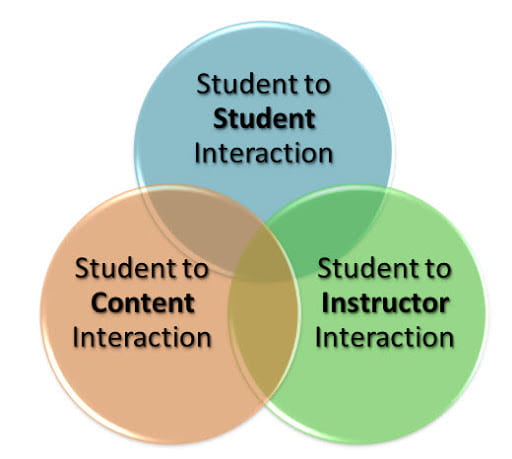
A question that I receive from time to time from instructors is how they can grant “special access” to a course discussion, after the initially assigned discussion period has ended. My response is typically a bit detailed, because I want to paint a picture for why this is not an available option in iCollege. Discussion topics are essentially a type of interaction between two or more learners. There are (3) types of interactions, as they relate to teaching and learning. One being (student-to-student). Discussion topics are a common method for meeting this objective. The goal is to mimic what would take place in a traditional classroom setting. However, in this case, we are referring to an online classroom, whereas students communicate asynchronously (not in real time) with one another on a given topic. With that said; In order for the interaction (discussion) to be meaningful, students must be engaged during the same period, with an ability to communicate by posting and replying to one another (during the estabilished discussion period). It’s like holding a class on-campus that ends at 11:00 am on Monday and having a student show up for class discussion on Wednesday at 2:00pm, after the discussion has ended and no one is there to receive and respond to their comments! To accommodate this student, you would need to re-open the classroom (discussion) for others to attend, which would be inappropriate and therefore unfair to the remaining students. For this reason, you cannot (open) nor (re-open) a discussion for an individual student. Please share any questions in the comment area, or feel free to contact me via email in order to meet for a more in-depth converstion and to explore additional options and available resources.